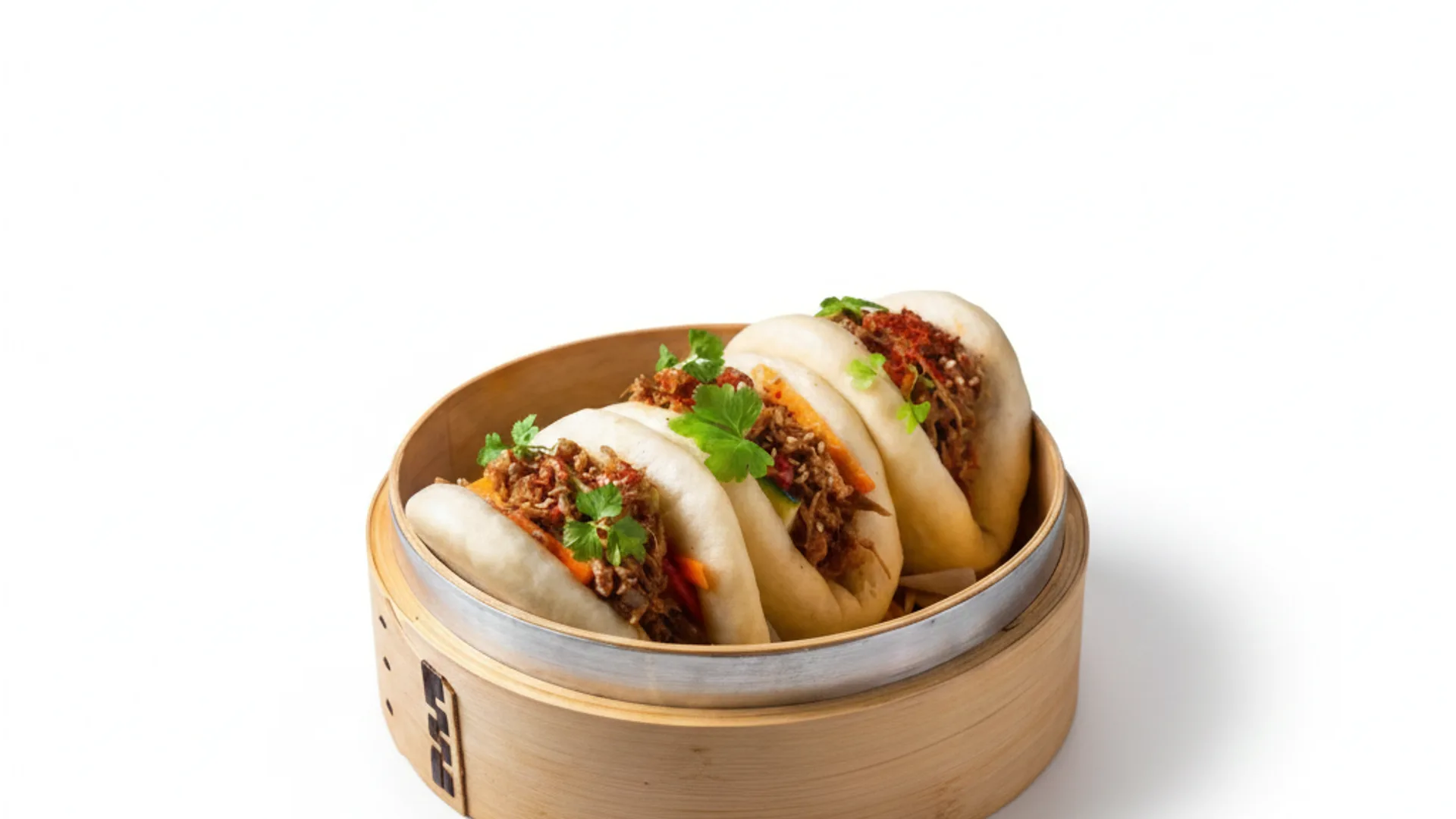
Photos for Rappi: get more orders with professional images
Rappi operates across Mexico, Colombia, Argentina, Chile, Peru, Ecuador, Costa Rica and Uruguay — this page is for restaurant owners in those markets, or anyone researching how to photograph a Rappi menu. FoodyFocus generates professional photos for your Rappi listing in under a minute: upload a phone photo of your dish, pick a delivery-optimized style, and download an image ready for the Partner Portal — no photo shoot, no photographer. The same generation also works for DiDi Food and Uber Eats.
Why photos decide your orders on Rappi
On Rappi, customers browse a grid of tiles where the photo is the first thing they see — before the dish name or price. Competing against dozens of restaurants in the same area, a dark, blurry, or cluttered photo means the customer keeps scrolling. Menus with every dish photographed also look more complete and professional than ones mixing photographed and unphotographed items. Photographing the entire menu, not just three or four hero dishes, is what actually moves conversion.
Rappi's real photo requirements
Rappi's own merchant documentation states images don't need a specific size or file weight: it accepts JPG, PNG, JPEG, HEIC and WEBP, and the panel lets you crop a rectangular photo to square with a built-in zoom tool. What Rappi does require is quality — good lighting and a dish that isn't blurry. If you upload your menu through an integrator (Deliverect, Ordatic and similar), that intermediary imposes its own limits — Deliverect, for example, requires 992×676 px PNG under 1 MB. The safe practical choice: export square (1:1) at 1000×1000 px or larger, dish centered, clean background, no watermark, text, logo, or price.
How FoodyFocus generates your Rappi photos
The process is three steps and takes under a minute per image. First, upload a few photos of your restaurant's interior once, so the AI learns your lighting and setting. Then upload a phone photo of the dish — decent light and a clear view are enough. Finally, pick a style — "Delivery app" and "Studio precision" work best for delivery platforms — and in 30-60 seconds you get a clean, well-lit image with the dish as the focus, exported at the size you need.
Cost vs a traditional food photography session
A standard session of around 15 dishes runs 15,000-22,000 MXN in Mexico City, 12,000-18,000 in Monterrey, and 11,000-17,000 in Guadalajara — plus food styling, typically billed separately at 4,000-12,000 MXN per day. FoodyFocus's Premium plan is €49/month (roughly 1,000 MXN depending on exchange rate) for 100 images, regenerable any time you update the menu without paying for another session.
One photo for Rappi, DiDi Food, Uber Eats and PedidosYa
Most restaurants across Latin America are on more than one app at once, and each platform has its own preferred format. FoodyFocus generates the image once and exports it to every size: square 1:1 for Rappi's grid, the horizontal formats Uber Eats and DiDi Food ask for, and vertical 9:16 for Instagram and TikTok stories — so your dish looks equally good everywhere, with one consistent brand image instead of a different photo and color per app.
EU-hosted · GDPR compliant
FoodyFocus is a company headquartered in Barcelona, Spain. Your dish photos and data are processed and stored exclusively on European servers, under GDPR — one of the strictest data-protection frameworks in the world. Support is handled by real people, no chatbots, and can help with Rappi's specifications or any other platform the same day.
Frequently asked questions
What size do photos need to be on Rappi?
Rappi's official merchant documentation says images don't need a specific size or file weight, and accepts JPG, PNG, JPEG, HEIC and WEBP. What it does require is good lighting and a dish that isn't blurry. In practice, exporting square (1:1) at 1000×1000 px or larger is the safest choice, since it matches Rappi's grid layout. If you upload through an integrator like Deliverect, that service does impose its own size (992×676 px PNG, max 1 MB).
Can I use the same photos on Rappi and DiDi Food or Uber Eats?
Yes. FoodyFocus exports the same generation to each platform's format, so you upload one consistent image across every delivery app you're on.
Which countries does this work in?
Anywhere Rappi operates: Mexico, Colombia, Argentina, Chile, Peru, Ecuador, Costa Rica and Uruguay. FoodyFocus runs from the browser, so it works regardless of where you are.
How much does FoodyFocus cost for my Rappi menu?
The Free plan includes 3 trial images, no card required. Basic is €19/month for 30 photos — enough for a small full menu. Premium is €49/month for 100 photos, and the Full Package is €109/month for 250.
Do I need a professional camera?
No. A well-lit photo from any modern phone is enough. The AI handles the background, color, lighting, and composition.
Built by the FoodyFocus team in Barcelona. See who we are →
