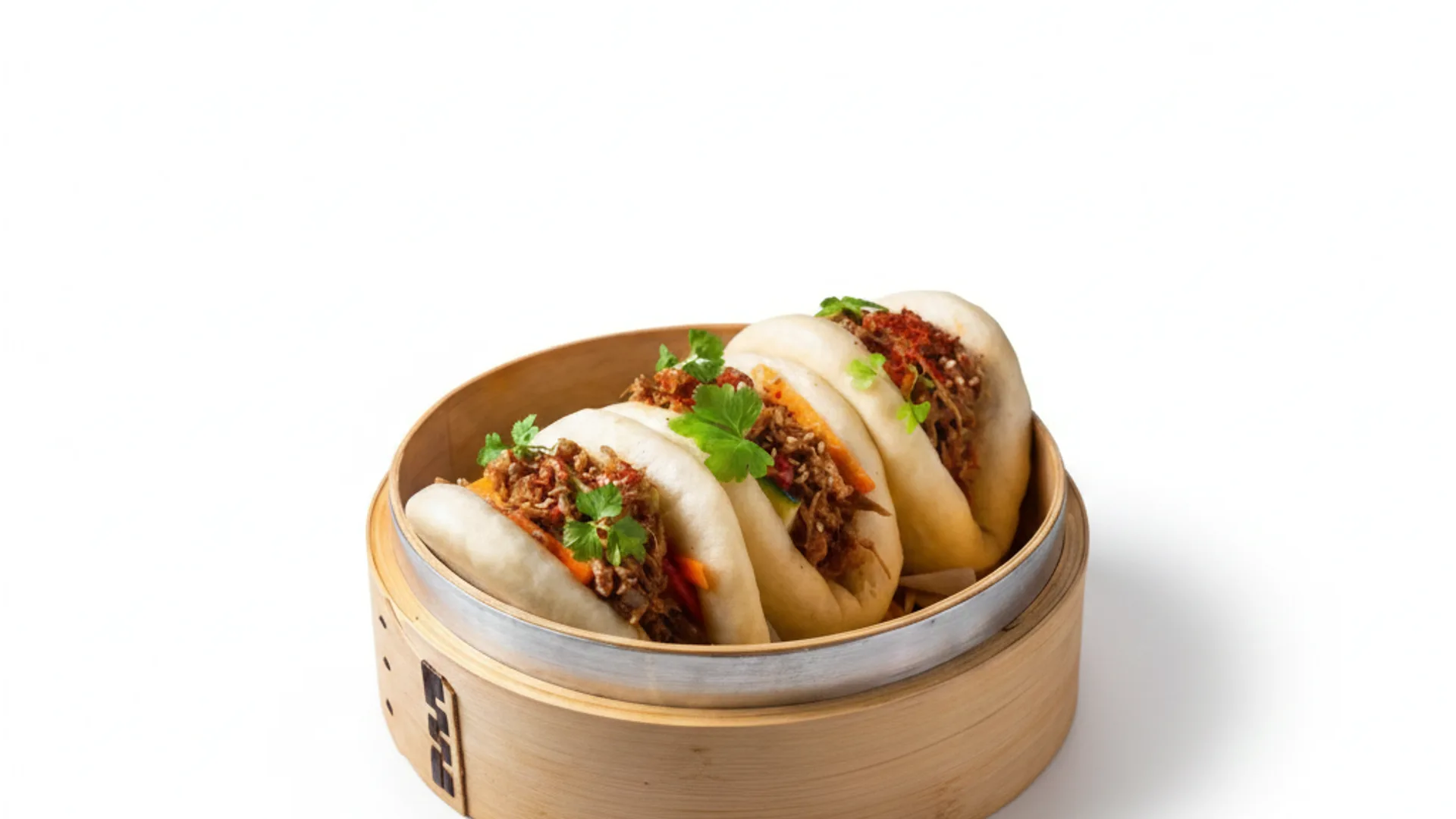
Photos for Glovo: get more orders with professional images
FoodyFocus generates professional photos for your Glovo listing in under a minute, with the exact specifications the platform requires. Upload a phone photo of your dish, pick a delivery-optimized style, and download an image ready to upload to the Glovo Partner Portal — no resizing, no retouching, no photographer. It also works for Uber Eats (1200×960 px) and Just Eat (1200×800 px).
Why do you need professional photos on Glovo?
Glovo displays dishes as a grid of tiles with a photo and a price. The photo is the first thing a customer sees — before the dish name. According to industry data, listings with professional photos receive up to 70% more orders than those with no photo or a low-quality phone shot. In Glovo's competitive delivery markets, a good photo can be the difference between a customer ordering your dish or the one from the restaurant next door.
Glovo's official photo requirements
Glovo sets clear specifications for product photos in its Partner Portal: images must be square (1:1 ratio) at a minimum of 1000×1000 pixels, JPG or PNG format, a recommended maximum of 5 MB, a clean or neutral background (ideally white or a soft solid color), a single dish visible per photo (no combo plates or scattered sides), no watermark, no overlaid text, no logos, and no prices. Lighting must be even and the dish must be clearly visible without harsh shadows.
How FoodyFocus generates your Glovo photos
The full process takes less than a minute per image. First, upload a phone photo of your dish — no professional camera or studio lighting required. Then select the "Delivery app" or "Studio precision" style, both optimized specifically for delivery platforms. The AI recomposes the photo with a clean background (dish on a neutral surface), corrects the lighting, adjusts the colors so the dish looks appetizing on a small screen, and exports the image already cropped to 1000×1000 px in JPG. The file is ready to upload directly to the Glovo Partner Portal with no further edits.
Comparison: phone photo vs FoodyFocus vs a traditional photographer
Direct phone photo: free, 30 seconds, but usually shows unprofessional backgrounds, uneven lighting, and the dish at the wrong angle — converts poorly. Session with a food photographer: optimal results but $500–$5,000 in the US, £400–£1,500 a day in the UK, 1–3 weeks of waiting, and every menu update needs a new session. FoodyFocus: €19/month for 30 professional photos with the right composition for Glovo, in under a minute per image, with unlimited regeneration whenever you update the menu.
Why Glovo rejects photos, and how to avoid it
The rejection reasons repeat, and almost all of them are avoidable. Wrong format: uploading a rectangular photo means the 1:1 crop cuts off part of the dish or leaves empty bands. Prohibited elements: logos, overlaid text, prices, watermarks, or promotions inside the image. Cluttered background: crumpled napkins, order tickets, other dishes, or the edge of the prep counter in frame. Multiple products in one photo when the listing is for a single dish. Uneven lighting, with harsh shadows or a yellow color cast from kitchen lights. And low resolution or a blurry image. Generating the photo already at 1000×1000 px, with a clean background and even light, removes most of these causes at once.
Glovo's grid: how your photo actually looks
It's worth designing the photo for where it will actually be seen, not for a desktop screen. On Glovo, the customer browses a grid of small tiles on mobile, and your image competes with neighboring restaurants' listings in a space of a few centimeters. That has practical consequences: very wide shots lose — the dish should fill the frame; fine detail doesn't register, so overall contrast and color matter more; and dark backgrounds tend to blend into the interface, while a clean, light background cuts out the dish's silhouette and makes it pop. Before uploading a photo, check it at real size on your phone: if you can't recognize the dish in one second at that size, it won't convert.
Photograph the whole menu, not just the hero dishes
This is the most common — and most costly — mistake. Many restaurants photograph six or eight standout dishes and leave the rest of the menu without an image, producing a visually uneven listing: the customer scrolls, hits gaps, and perceives the menu as incomplete or neglected. Products without a photo get far fewer orders than the same products with one, so every dish without an image is a dish that barely sells through the app. The reason menus stay half-photographed is almost always financial: paying for a session to cover forty dishes doesn't pencil out. At a cost of cents per image, photographing the entire menu stops being a budget decision.
How often to refresh your photos
Delivery photos age faster than you'd think. If you change the plating, the packaging, or a supplier, the image no longer matches what arrives at the customer's door, and that mismatch generates complaints and negative reviews. Seasonal promotions need their own image to work. And a menu that's had the same photos for two years reads as a stagnant business next to competitors who update. The sensible approach is to review the set every season, regenerate any dish whose plating has changed, and create dedicated images for new items. That's impractical with a traditional session; generating the photos yourself, it's a matter of minutes.
Also works for Uber Eats, Just Eat and Deliveroo
While this page focuses on Glovo, FoodyFocus generates preset photos for every major delivery platform: Uber Eats (1200×960 px, 5:4 ratio), Just Eat (1200×800 px, 3:2 ratio), and Deliveroo. The templates update whenever the platforms change their specifications, so your photos always meet current requirements — without you having to check each app's updates manually.
EU-hosted · GDPR compliant
FoodyFocus is a company headquartered in Barcelona, Spain, with direct experience in the delivery ecosystems where Glovo operates. Your dish photos and personal data are processed and stored exclusively on European servers, in full compliance with GDPR. Support is handled by real people, no chatbots — useful when you need to resolve a question about Glovo's specifications or any other platform the same day.
Frequently asked questions
What's the exact size Glovo photos need to be?
Glovo product photos must be square: a minimum of 1000×1000 pixels (the platform accepts larger sizes but always at a 1:1 ratio). Format can be JPG or PNG, with a recommended maximum of 5 MB. FoodyFocus generates photos directly at 1000×1000 px, ready to upload.
Can I put my restaurant's logo or the price on the photo?
No. Glovo explicitly prohibits overlaid text, watermarks, logos, and prices on product photos. If you upload a photo with any of these elements, Glovo may reject it or ask you to replace it. FoodyFocus generates clean photos by default, with none of the prohibited elements.
How much can good photos increase my orders on Glovo?
According to industry data and Glovo's own figures, listings with professional photos can receive 30–70% more orders than those using low-quality photos or none at all. The impact depends heavily on your restaurant's category and local competition — in highly saturated categories (burgers, pizza, Asian food) the difference tends to be larger.
Does FoodyFocus also work for Uber Eats and Just Eat?
Yes. FoodyFocus generates photos at the exact dimensions each platform needs: Glovo (1000×1000 px square), Uber Eats (1200×960 px, 5:4 ratio), and Just Eat (1200×800 px, 3:2 ratio). One generation can be exported to all three sizes.
Do AI-generated photos comply with Glovo's rules?
Yes. The photos meet all the requirements: correct size, clean background, no watermark or text, one dish per image, even lighting. The difference is that instead of spending 15–30 minutes retouching each photo in Photoshop or paying a photographer, the AI does it in 30 seconds.
Why did Glovo reject one of my photos?
The usual causes are: non-square format, logos, text, or prices inside the image, a cluttered background, multiple products in a photo meant for a single dish, uneven lighting with harsh shadows or a yellow cast, and low resolution. Generating the image already at 1000×1000 px with a clean background and even light removes most of those causes.
Is it worth photographing the whole menu, or just the hero dishes?
The whole menu. Products without a photo receive far fewer orders, and a listing with gaps reads as incomplete. The reason most menus stay half-photographed is the cost of a session; when each image costs cents, photographing all forty dishes stops being a budget decision.
How often should I refresh my Glovo photos?
Review them every season, and regenerate any dish whose plating, packaging, or supplier has changed — if the photo doesn't match what arrives at the door, it generates complaints and negative reviews. Promotions and new items deserve their own image.
What does my photo actually look like in the app?
In a grid of small tiles, on mobile, competing with neighboring restaurants. That's why the dish should fill the frame, contrast and color matter more than fine detail, and a clean, light background cuts out the silhouette better than a dark one. Always check the photo at real size on your phone before uploading.
What's the best FoodyFocus style for Glovo photos?
For Glovo we recommend the "Studio precision" style (neutral white background, similar to catalog photography) or the "Delivery app" style (composition optimized for delivery apps). Both produce images that make the dish stand out against clean backgrounds, which is what performs best in Glovo's grid.
Built by the FoodyFocus team in Barcelona. See who we are →
