food delivery app photo requirements · uber eats deliveroo doordash glovo just eat · delivery menu photography · master image restaurant photos
Food Delivery App Photo Requirements: Uber Eats, Deliveroo, DoorDash, Glovo & Just Eat Compared (2026)
Every delivery platform manages restaurant imagery its own way. We compare Uber Eats, Deliveroo, DoorDash, Glovo, and Just Eat requirements, and explain how to build one master image instead of photographing your menu separately for every app.
Great food photography can make a delivery menu easier to browse, more appealing, and more useful to customers. But preparing restaurant photos for delivery apps isn't as simple as taking one good picture and uploading the same file everywhere.
Uber Eats, Deliveroo, DoorDash, Glovo, and Just Eat each manage restaurant imagery within their own platforms. Image dimensions, cropping, approval processes, and content guidelines may differ, and requirements can change over time or vary between markets.
For restaurants operating across several delivery apps, this creates a practical challenge:
How do you create food photos that look good everywhere without photographing your entire menu separately for every platform?
This guide compares the main considerations for restaurant photography across the major food delivery platforms and explains how to build a simpler workflow for creating, organizing, and adapting your images.
Quick answer: Start with a high-resolution master image of the real dish, keep the food clearly visible and away from the edges, avoid unnecessary text and graphics, and export platform-specific versions from the master file. Before uploading, always check the latest requirements in your restaurant's partner portal, as specifications can change.
Food Delivery Photo Requirements at a Glance
If you manage several delivery platforms, start here.
| Platform | What to prioritize | Key consideration |
|---|---|---|
| Uber Eats | Accurate, centered images of individual menu items | Merchant-submitted menu photos should accurately represent the item being sold |
| Deliveroo | High-resolution landscape photography with the full dish visible | Hero and menu-item images have specific minimum dimensions |
| DoorDash | Clear, appetizing images that accurately represent menu items | Check current merchant guidance for your market before exporting |
| Glovo | Clear menu photography suitable for mobile browsing | Requirements may depend on the partner workflow and market |
| Just Eat | Accurate, high-quality menu imagery | Check current specifications through your restaurant partner tools |
The safest approach is not to design your entire photography workflow around one platform's current dimensions.
Instead, create a high-quality master image first.
You can then crop and export versions for individual delivery apps without repeatedly photographing the same dish.
Why Food Photos Matter on Delivery Apps
Inside a restaurant, customers experience the space before they order.
They see the dining room.
They smell the food.
They speak to staff.
They watch dishes arrive at nearby tables.
On a delivery app, most of that context disappears.
The customer is left with a smaller set of decision-making signals:
- Restaurant name
- Rating
- Price
- Menu description
- Delivery time
- Food photography
That gives menu photography an important role.
A good delivery image should answer a simple question quickly:
What am I going to receive if I order this?
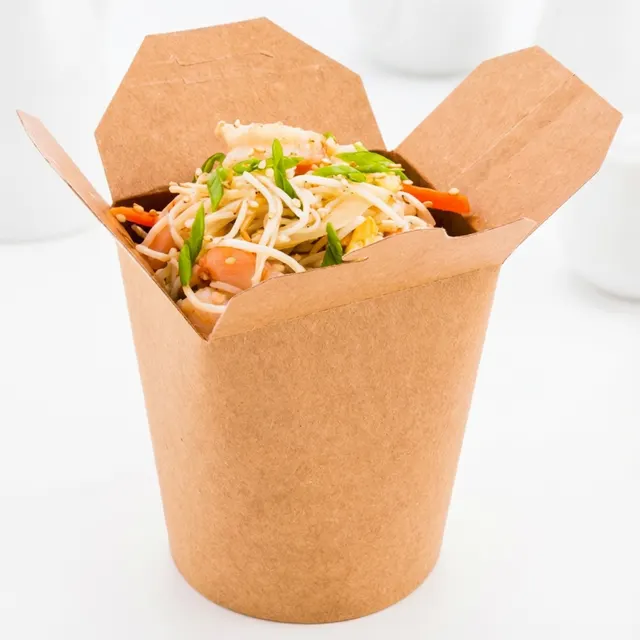
The photograph doesn't need to be an elaborate advertising campaign.
It needs to make the dish easy to understand and appealing without creating an unrealistic expectation.
For most delivery menus, clarity beats complexity.
The Most Important Rule: Photograph the Food You Actually Sell
Before thinking about pixels, aspect ratios, or image formats, start with accuracy.
The image should represent the actual menu item.
That means being careful with:
- Ingredients
- Portion size
- Garnishes
- Side dishes
- Sauces
- Packaging
- Number of items included
If a burger is served without fries, a photograph showing a large portion of fries beside it may create the wrong expectation.
If a pizza has six visible toppings in the photograph but the actual recipe contains three, the image can be misleading.
The same principle applies when using AI-assisted editing.
Improving lighting or cleaning up a distracting background is fundamentally different from generating ingredients that aren't part of the real dish.
A useful test is:
Would a customer who receives the actual order feel that the photograph represented it fairly?
If the answer is yes, you're starting from the right place.
Uber Eats Photo Requirements
Uber Eats distinguishes between different types of imagery, including menu-item photos and broader store or cover imagery.
For individual menu items, Uber's guidance emphasizes that the photograph should accurately represent a single item available on the menu and that the food should be properly positioned within the frame.
For merchant-submitted catalogue imagery, Uber also publishes technical guidance around image dimensions, format, and cropping.
The exact specifications you need therefore depend on which type of image you are uploading.
For Uber Eats menu photos, prioritize:
- The actual menu item
- A clear view of the food
- Accurate representation
- Good lighting
- A centered composition
- Enough space around the dish for safe cropping
- A clean, non-distracting presentation
Avoid creating an image where the customer has to guess which item is being sold.
If the listing is for a burger, the burger should clearly be the subject.
If the listing is for a specific pasta dish, the image should represent that dish, not a table filled with several unrelated menu items.
Keep cropping in mind
Don't position important parts of the food directly against the edges of the photograph.
Interfaces change across devices, and images may appear differently depending on placement.
Keeping the main subject comfortably inside the frame makes the image more adaptable.
Accuracy matters
Uber's merchant guidance requires menu photos to accurately represent the listed item.
That makes authenticity particularly important when editing or using AI-assisted photography.
Improving the presentation of a real dish is one thing.
Changing what the customer believes they are ordering is another.
For detailed technical specifications and step-by-step guidance, see our complete Uber Eats Restaurant Photo Requirements Guide.
Deliveroo Photo Requirements
Deliveroo separates restaurant imagery into different categories, including hero images and menu-item images.
These serve different purposes.
The hero image represents the restaurant more broadly.
A menu-item image represents a specific dish.
According to Deliveroo's current restaurant partner guidance, hero images should be at least 1920 × 1080 pixels, while menu-item images should be at least 1200 × 675 pixels.
Deliveroo also recommends keeping the entire dish visible within the frame.
Because Deliveroo is updating how restaurant pages display imagery, hero images should be composed carefully enough to work across different crops and placements.
For Deliveroo menu-item photos:
- Use landscape orientation
- Keep the full dish visible
- Use a high-resolution original
- Keep the food clearly in focus
- Avoid placing important details too close to the edges
- Make the dish the obvious subject
For Deliveroo hero images:
The objective is different.
A hero image represents the restaurant or its broader food offering rather than one individual menu item.
Deliveroo's current guidance recommends showing multiple dishes in a hero image.
Think of the hero image as: "What does this restaurant offer?"
And the menu-item image as: "What exactly am I ordering?"
These should not necessarily be the same photograph.
For detailed specifications and examples, see our complete Deliveroo Restaurant Photo Requirements Guide.
DoorDash Photo Requirements
For DoorDash, restaurants should prioritize clear, accurate, high-quality photographs that make individual menu items easy to understand.
As with any delivery platform, specifications and available merchant tools can evolve, so restaurants should check the current requirements inside their DoorDash merchant account before preparing a large batch of final exports.
A strong DoorDash menu photo should:
- Clearly show the item being sold
- Accurately represent the real dish
- Use good lighting
- Keep distracting elements to a minimum
- Remain readable when displayed at a smaller size
- Leave enough room for potential cropping
The photograph should work as a product image first.
Atmospheric restaurant photography can be valuable for branding, websites, Google, and social media, but a delivery menu has a more transactional purpose.
The customer needs to identify the dish quickly.
If you operate on DoorDash, prepare a high-resolution master photograph and create the final export according to the latest specifications available in your merchant tools.
For more detailed guidance, see our DoorDash Restaurant Photo Requirements Guide.
Glovo Photo Requirements
Glovo operates across multiple countries and markets, and restaurants should check the latest image specifications available through their current Glovo partner workflow.
Rather than relying on an old image-dimension recommendation found online, verify the requirements before exporting a complete menu.
The underlying photography principles remain straightforward.
For Glovo menu photography:
- Make the dish immediately recognizable
- Use a clear, high-quality photograph
- Keep the food as the primary subject
- Avoid unnecessary visual clutter
- Represent the actual menu item accurately
- Leave sufficient space around the dish for cropping
For restaurants managing both Glovo and other delivery platforms, keeping an uncropped, high-resolution master image is particularly useful.
Instead of photographing the same dish again, you can create a Glovo-specific version from your original file.
For a detailed walkthrough, see our Glovo Restaurant Photo Requirements Guide.
Just Eat Photo Requirements
Just Eat restaurants should also verify current technical requirements through their partner tools, particularly before preparing a large menu-photo library.
As with other platforms, the objective of menu photography is to help customers understand what they are ordering.
Prioritize:
- Accurate dish representation
- Clear focus
- Good lighting
- Simple composition
- Minimal distractions
- Sufficient resolution
- Flexible framing
The most important part of the photograph should remain visible even if the platform adjusts the crop for different screen sizes or placements.
For detailed guidance, see our Just Eat Restaurant Photo Requirements Guide.
Can You Use the Same Food Photos on Every Delivery App?
Usually, you can use the same original photograph as the basis for multiple platforms.
But that doesn't necessarily mean uploading the exact same final file everywhere.
This distinction is important.
Think of your photography workflow in two stages.
1. Master image
Your highest-quality version.
Ideally:
- High resolution
- Minimally cropped
- Correctly exposed
- Full dish visible
- No platform-specific graphics
- Important elements away from the edges
2. Platform export
A version created specifically for the destination.
For example:
Master photo
↓
Uber Eats version
Deliveroo version
DoorDash version
Glovo version
Just Eat version
This approach gives restaurants much more flexibility.
If a platform changes its image requirements, you don't need to photograph the dish again.
You simply return to the master image and create a new export.
How to Create One Master Food Photo for Multiple Delivery Platforms
A good multi-platform workflow begins when you take the photograph.
Step 1: Start with the real dish
Photograph the actual item customers can order.
Make sure the portion, ingredients, and presentation are representative.
Step 2: Use the highest practical resolution
Don't begin by taking a small, heavily compressed photograph.
A larger original gives you more flexibility later.
Step 3: Leave room around the food
Avoid extremely tight cropping.
Different platforms may crop images differently, so leave enough visual space around the dish.
Step 4: Keep the composition simple
A clean composition is easier to adapt.
If the photograph contains too many props or secondary elements, different crops may create confusing results.
Step 5: Save the original
Never overwrite your master file with a platform-specific crop.
Use a simple naming system such as:
dish-name_MASTER
dish-name_UBEREATS
dish-name_DELIVEROO
dish-name_DOORDASH
dish-name_GLOVO
dish-name_JUSTEAT
For a restaurant with dozens of dishes, this small organizational decision can save considerable time later.
How Should You Photograph Food Specifically for Delivery Apps?
Delivery photography should generally be simpler than editorial or social-media photography.
The customer may see your image as a relatively small thumbnail while scrolling through many competing dishes.
Your food therefore needs to communicate quickly.
Use a clear angle
Choose the angle that best explains the dish.
Overhead works well for: Pizza, Bowls, Salads, Flat dishes.
45 degrees works well for: Pasta, Main courses, Plated dishes.
Lower angles work well for: Burgers, Sandwiches, Layered foods.
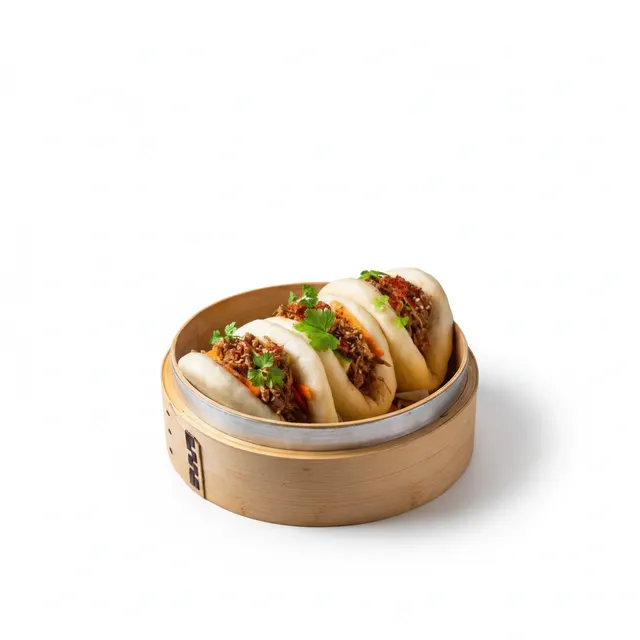
Keep the dish large enough in the frame
Don't make customers search for the food inside the photograph.
Environmental context can be attractive, but the dish should remain the main subject.
Use good lighting
Soft natural light can work extremely well.
Avoid:
- Harsh direct flash
- Extremely dark images
- Strong color casts
- Blown-out highlights
Check the image at thumbnail size
This is an easy test.
Make the photograph small on your screen.
Can you still immediately understand what the dish is?
If not, the composition may be too complicated for a delivery menu.
For a complete photography walkthrough, see How to Take Professional Food Photos With Your Phone: A Guide for Restaurants.
Can You Use AI-Enhanced Food Photos on Delivery Apps?
This question requires more nuance than a simple yes or no.
"AI food photography" can describe several very different processes.
AI might be used to:
- Correct exposure
- Improve color
- Remove a distraction
- Clean a background
- Replace an environment
- Add visual elements
- Generate an entirely fictional dish
These uses are not equivalent.
For delivery menus, the central concern should be whether the final image accurately represents the item customers can order.
A photograph of your real burger with improved lighting is fundamentally different from generating an entirely new burger containing ingredients your restaurant doesn't serve.
Restaurants should therefore evaluate AI-assisted images in the same way they evaluate any other menu photography:
Is the dish accurate?
Are the ingredients accurate?
Is the portion representative?
Does the image create a realistic expectation?
Platform policies and review systems can also change, so always check the latest rules for the specific delivery service and market where you operate.
For a deeper explanation of AI-assisted, AI-enhanced, and fully generated restaurant imagery, read our Complete Guide to AI Food Photography for Restaurants.
Menu Photos vs Hero Images: Know the Difference
One photograph shouldn't be expected to perform every job.
A menu-item photo answers: What am I ordering?
A hero or cover image answers: What kind of food does this restaurant offer?
This distinction changes the composition.
Menu-item photo
Usually:
- One dish
- Clear subject
- Simple composition
- Accurate representation
- Minimal distractions
Hero image
May include:
- Several dishes
- Wider composition
- More visual atmosphere
- Broader representation of the restaurant's offering
Trying to use a single close-up dish photo as every type of image can create poor results.
Build your restaurant image library with different functions in mind.
Common Reasons Delivery Photos Don't Work
Even when an image is technically accepted, it may still perform poorly visually.
Here are some of the most common problems.
The food is too small
Too much background makes the dish difficult to identify.
The crop cuts off important parts
A photograph may look good in your gallery but lose important details when displayed by the platform.
The image is blurry
Poor focus or low-light motion can make food appear unappealing.
The lighting is too dark
Customers should be able to understand the dish without studying the image.
The colors are unnatural
Heavy filters and excessive saturation can make food look artificial.
The background is distracting
The viewer's attention should go to the dish.
The image shows more than the customer receives
Extra sides, drinks, or ingredients can create confusion if they aren't included in the menu item.
The photo is outdated
If the recipe, plating, or portion has changed, update the image.
An old photograph can create the wrong expectation even if it was accurate when originally uploaded.
How to Manage Delivery Photos Across Multiple Platforms
For a restaurant with five dishes, image management is simple.
For a restaurant with 80 menu items across five platforms, it becomes an operational problem.
A basic image library can help.
Organize your files by:
Restaurant
↓
Menu category
↓
Dish
↓
Master
↓
Platform exports
For example:
Restaurant
→ Burgers
→ Classic Cheeseburger
→ MASTER
→ Uber Eats
→ Deliveroo
→ DoorDash
→ Glovo
→ Just Eat
Keep a record of:
- Date photographed
- Current menu status
- Platforms where the image is live
- Last update
- Master file location
This becomes even more important for restaurant groups and marketing agencies managing multiple brands.
The goal is simple: Photograph once. Adapt when necessary. Update everywhere.
Delivery App Photography Checklist
Before uploading your restaurant photos, run through this checklist.
The dish
- The photograph shows the actual menu item
- Ingredients are accurate
- Portion size is representative
- No misleading extras are included
- The food is clearly visible
Image quality
- The photograph is sharp
- Lighting is clear and natural
- Colors look realistic
- The image has sufficient resolution
- The original high-resolution file has been saved
Composition
- The dish is the main subject
- Important elements aren't too close to the edges
- The background isn't distracting
- The image still works at thumbnail size
Platform
- Current image dimensions have been checked
- Correct aspect ratio has been used
- Correct file format has been exported
- Hero and menu-item images haven't been confused
- Platform-specific content rules have been reviewed
Final check
- The image matches the current recipe and presentation
- The final platform crop has been previewed
- The correct dish image is attached to the correct menu item
Frequently Asked Questions About Food Delivery App Photos
Can I use the same food photo for Uber Eats, Deliveroo, DoorDash, Glovo, and Just Eat?
You can often use the same original photograph, but you may need to create different crops or exports for each platform.
The best approach is to keep a high-resolution master image and adapt it according to the current requirements of each delivery app.
What is the best image size for food delivery apps?
There is no single universal size used by every delivery platform.
Requirements can differ between platforms, image types, and markets.
For example, Deliveroo currently specifies different minimum dimensions for hero and menu-item images, while Uber Eats publishes its own requirements for different merchant image types.
Always check the latest platform guidance before exporting your final files.
Should delivery food photos have a white background?
Not necessarily.
A simple background can make the dish easier to see, but it doesn't always need to be white.
The priority is clarity.
Choose a background that doesn't compete with the food and that works with the visual requirements of the platform.
Should food delivery photos show packaging?
It depends on what you're trying to communicate and the platform's current requirements.
For most menu-item photography, customers generally benefit from seeing the food clearly.
If packaging is an important part of the product or offering, it may be relevant, but it shouldn't obscure the dish.
Can I take delivery app photos with my phone?
Yes.
A modern smartphone can produce high-quality restaurant menu photography when used with good lighting, clear composition, and an appropriate camera angle.
For practical instructions, read our guide to Taking Professional Food Photos With Your Phone.
Can I use AI to improve delivery app food photos?
AI can be used in different ways, from basic image enhancement to fully generative imagery.
For restaurant menus, accuracy should remain the priority.
If AI changes ingredients, portions, or other important characteristics of the dish, the resulting image may no longer represent what the customer is ordering.
Always review the final image carefully and check the current rules of the platform where you plan to use it.
Why do my food photos get cropped on delivery apps?
Delivery platforms display images across different screen sizes and interface placements.
An image that looks correct as an original file may therefore appear differently inside the app.
Keep the main dish away from the extreme edges of the photograph and check the platform's current aspect-ratio requirements before uploading.
Build Your Delivery Photography Workflow Around the Master Image
Managing restaurant photography across several delivery apps doesn't need to mean creating a separate photoshoot for every platform.
The more efficient approach is to build a flexible image library.
Start with the real dish.
Take a clear, high-resolution photograph.
Keep the composition adaptable.
Save the original.
Then create the versions you need for Uber Eats, Deliveroo, DoorDash, Glovo, Just Eat, and any other channel where your restaurant operates.
The workflow becomes:
Photograph the real dish
↓
Create a high-quality master image
↓
Review it for accuracy
↓
Create platform-specific crops and exports
↓
Check current platform requirements
↓
Upload and preview
↓
Keep the master for future updates
This approach saves time while keeping your restaurant photography consistent across multiple channels.
And if you use AI to improve or scale your visual content, the same principle still applies: Start with reality. Improve the presentation. Keep the expectation accurate.
Want to improve the images you're starting with? Read our How to Take Professional Food Photos With Your Phone guide.
Want to understand where artificial intelligence fits into the process? Explore our Complete Guide to AI Food Photography for Restaurants.
Or visit our individual guides for Uber Eats, Deliveroo, DoorDash, Glovo, and Just Eat for platform-specific photography guidance.
