google business profile photos restaurant · google my business photos restaurant · restaurant google maps photos · optimise google business photos · restaurant local seo photos
Google Business Profile Photos for Restaurants: Complete Guide 2026
How to optimise your Google Business Profile photos so your restaurant ranks first in local searches. Technical specs, photo types, common mistakes and how to generate professional images with AI in minutes.
When someone types "restaurant near me" into Google or searches for a cuisine in their neighbourhood, the first decision they make is not reading reviews or comparing prices — they look at the photos. Your restaurant's Google Business Profile competes in a split second against every local competitor — and images are what tips the balance.
The data is clear: according to Google itself, businesses with photos on their profile receive 42% more requests for directions and 35% more website clicks than profiles without images. For a restaurant with 200 monthly Google searches, that translates to dozens of additional visits and orders every month — without spending a cent on advertising.
This guide covers everything you need to know in 2026: how many photos to upload, which types, what technical specifications to meet, how to organise them, and — most importantly — how to get professional food photos without hiring a photographer. At the end of the article we explain how AI food photography solves this problem in minutes at a fraction of the cost.
Why Google Business Profile photos change your restaurant's bookings
Google Business Profile is the most visited digital shopfront for any local business. For restaurants, the impact of photos is particularly high because food service is a visual decision by nature: the human brain decides whether it wants to eat somewhere in under 200 milliseconds — before it has processed the business name or read a single review.
Key data points every restaurant owner should know:
- +42% direction requests for businesses with photos vs. no photos (source: Google).
- +35% website clicks for profiles with active images (source: Google).
- 89% of people research a local business online before visiting (source: BrightLocal, 2025).
- Restaurant profiles with more than 100 photos receive on average 520% more phone calls than profiles with fewer than 10 images (source: Vendasta, analysis of 30,000 GMB listings).
- 60% of users say food photos directly influence their decision to order or book (source: Yelp consumer survey, 2024).
How many photos does your restaurant need on Google?
Google sets no maximum on photos, but recommends a minimum of 10 images per business. For restaurants, however, that minimum is clearly insufficient: competition in hospitality categories is so high that a profile with 10 photos is completely overshadowed by competitors with 30, 50 or 100 active images.
| Type of venue | Recommended minimum | Optimal for visibility |
|---|---|---|
| Tapas bar / pintxos bar | 15 photos | 30–40 photos |
| Set-menu restaurant | 20 photos | 35–50 photos |
| À la carte restaurant | 25 photos | 40–60 photos |
| Restaurant with delivery (Glovo, Uber Eats) | 30 photos | 50–80 photos |
| Cocktail bar / speciality bar | 15 photos | 25–35 photos |
The practical strategy: upload at least 3–5 photos of each main dish on your menu and update the profile whenever you change your seasonal offerings. Google prioritises recently uploaded images in its photo panel — a profile that updates regularly signals to Google that the business is active.
Photo types Google recommends for restaurants
- Exterior: photos of the façade, entrance, terrace and sign. Essential so customers can recognise the venue when they arrive. Google recommends at least 3 exterior photos from different angles, in different light conditions (daytime and night if you have special lighting).
- Interior: the dining room, décor, bar and covered terrace. These photos communicate the atmosphere and type of experience — very useful for customers searching for a "cosy" or "lively" setting.
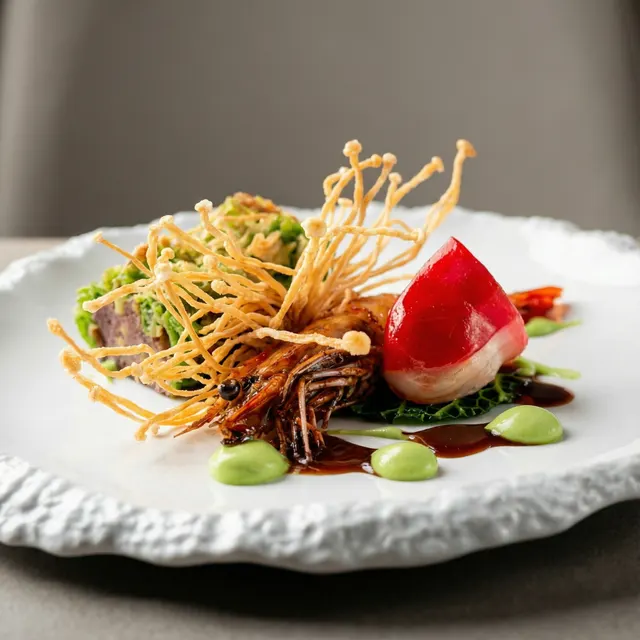
- Food and drink: the most important category. Photos of your real dishes and drinks — not studio tricks, not stock images. Google can detect stock images and reduce their visibility. Aim for 1–2 photos per main menu item.
- Team: photos of the chef, front-of-house staff, and food preparation process. They add authenticity and E-E-A-T (expertise and trustworthiness) to the profile.
- Cover photo and logo: the cover photo is the main image users see when they find your listing on Google Maps or in local search. It is the most visible photo on your entire profile — the one that demands the most careful optimisation.
Technical specifications: what Google requires in 2026
| Photo type | Recommended dimensions | Minimum dimensions | Aspect ratio | Max file size |
|---|---|---|---|---|
| Cover photo | 1332 × 750 px | 480 × 270 px | 16:9 | 5 MB |
| Profile photo / logo | 720 × 720 px | 250 × 250 px | 1:1 | 5 MB |
| Menu / food photos | 1200 × 900 px | 720 × 720 px | 4:3 or 1:1 | 5 MB |
| Interior / exterior photos | 1600 × 900 px | 720 × 720 px | 16:9 or 4:3 | 5 MB |
What Google rejects or penalises in visibility:
- Photos with overlaid text (offers, prices, opening hours, URLs or phone numbers embedded in the image).
- Stock or catalogue images (Google identifies them via reverse image search).
- Photos with extreme filters or unrealistic colours that don't represent the actual dish.
- Blurry, dark or noisy images below 720 × 720 px.
- Collages or montages with multiple dishes in one image (Google prefers one photo per dish for menu photos).
How to upload photos to Google Business Profile step by step
- Access your profile: go to business.google.com or search your business name on Google while signed in. Click "Edit profile".
- Go to the photos section: in the owner panel, select "Add photos" or "View all photos".
- Select the correct category: choose from Exterior, Interior, Team, Food & drink, Video, or Identity (logo and cover). Correct categorisation helps Google show images in the right contexts.
- Upload the images: drag and drop or select photos from your computer or phone. You can upload up to 10 photos at once.
- Set the cover photo: go to "Photos" → "Owner photos" → click a photo and select "Set as cover photo".
- Monitor performance: in the profile insights panel, check how many times your photos have been viewed in the last month. Low-view photos are not being shown — upload better quality versions to replace them.
Tip: upload new photos every 2–4 weeks. Google regularly updates the visibility order of images and favours active profiles.
Food photos: the most important type for restaurants
Food and drink photos are the most viewed category on restaurant profiles — and the biggest driver of booking and order decisions. The food section typically appears first when a user explores a restaurant's Google profile.
What makes a good food photo for Google:
- Clean, even lighting: no harsh shadows over the dish, no reflections on crockery. Soft side lighting or studio-style front lighting works best.
- Neutral or contextual background: the dish must be the hero. Wood, marble or a plain tablecloth background works better than busy, distracting settings.
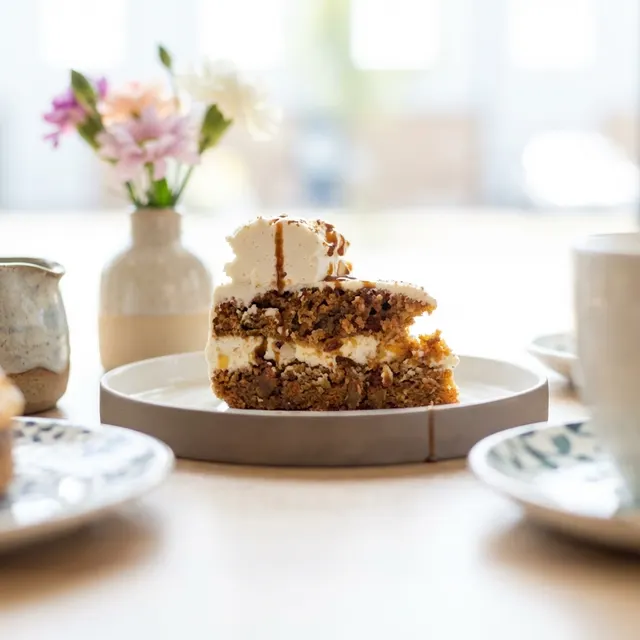
- Correct angle for the dish: tall dishes (burgers, sandwiches, cocktails, layer cakes) benefit from 45° front angles; flat dishes (salads, pizzas, paellas, tapas) work best from a flat-lay (90° overhead).
- Dish in optimal condition: photograph the dish freshly plated, before it loses temperature or texture. Sauce should not be runny, steam is a bonus if capturable, and garnishes should be neatly placed.
- No misleading tricks: Google and users easily spot when a photo doesn't match the real dish. Photos that misrepresent the product generate negative reviews and destroy trust.
Common mistakes that hurt your Google visibility
- Uploading only 1–3 photos and not updating them for months: a profile with few old photos is a negative signal for Google's algorithm.
- Using stock or supplier catalogue images: if you use generic images, Google can detect them and reduce their visibility. Your photos must show your own venue and your own dishes.
- Ignoring the cover photo: many owners never set their own cover photo and let Google automatically choose the one it considers "most popular" — which might be a low-quality user review photo.
- Uploading photos without categorising them: uncategorised photos are classified less precisely, reducing their appearance in relevant contexts.
- Photos with overlaid text or logos: Google detects these and penalises their visibility in search results.
- Not managing user-submitted photos: customers can add photos to your profile without your approval. You can't delete them, but you can report policy violations. The best counter-strategy is uploading a high volume of quality owner photos.
Generating professional dish photos for Google with AI
The main barrier to having quality photos on Google Business Profile is not willingness — it's logistics and cost. A professional food photography session in the US typically costs $500–$2,000 to photograph a full menu, and needs repeating every season as dishes change.
The modern alternative is using AI-specialised food photography tools like FoodyFocus: you upload a photo of your real dish taken on a smartphone, and the AI generates a professional version with studio lighting, a neutral background and optimised composition — in under 10 seconds.
The result is an image that:
- Meets all Google technical specifications (resolution, format, quality).
- Shows your restaurant's real dish (not generic stock).
- Has the visual quality of a photography studio — at a fraction of the cost.
- Is generated in minutes for the entire menu, not weeks of photographer coordination.
- Can be reused for Glovo, Uber Eats, Instagram, your digital menu and printed menus.
FoodyFocus's Studio Precision style is particularly effective for Google Business Profile: neutral background, clean side lighting, sharp focus on the dish and colours true to the original — exactly the type of image Google's algorithm favours in its photo panel.
If your restaurant also has delivery, you can use the same FoodyFocus-generated images to optimise photos on Glovo or Uber Eats. The square 1:1 format delivery apps require is different from Google's 4:3, but FoodyFocus lets you export in both formats from the same result.
Frequently asked questions about Google Business Profile photos
Can I delete photos that customers upload to my Google profile?
Not directly — business owners cannot delete user-submitted photos on Google Business Profile. You can only report them if they violate Google's policies (offensive content, spam, image that doesn't represent the business). The most effective strategy to neutralise poor-quality user photos is to upload a high volume of quality owner photos.
How often should I update my Google My Business photos?
At minimum every 4–6 weeks. Restaurants with the strongest local visibility update their photos every 2–3 weeks, especially when changing seasonal menus. Google rewards recent activity in its local ranking factors.
Do I need different resolutions for Google and Glovo?
Not exactly. Google prefers 1200 × 900 px (4:3 ratio) for food photos. Glovo uses a square 1:1 format at 1000 × 1000 px minimum. With FoodyFocus, you can generate both versions from the same original dish photo.
Does Google penalise AI-generated photos?
Google does not penalise AI-generated photos as long as they faithfully represent the business and its real products. What Google does penalise is generic stock photography (images that don't correspond to the business) and manipulated images that mislead users. FoodyFocus works from your real dish photo — the AI enhances visual quality but doesn't invent or replace the product.
How long does it take for Google to show photos I upload?
Most photos appear on the profile within 24 hours. In some cases Google's content algorithm reviews images before publishing, which can delay visibility by 48–72 hours. Photos that violate policies may take longer or not be published at all.
