ai food photography · ai for restaurants · ai menu photography · food photo authenticity
AI Food Photography for Restaurants: The Complete Guide for 2026
Enhancement, background replacement, restaurant-specific environments, or full generation: not every type of AI food photography belongs on a real menu. A complete guide to what works, what to avoid, and how to choose the right tool.
AI food photography is changing how restaurants create visual content.
Until recently, getting professional food photos meant organizing a photoshoot: finding a photographer, preparing every dish at the same time, styling the food, setting up lighting, clearing several hours from the schedule, and waiting for the final edited images.
For major campaigns and brand-defining photography, that process still makes sense. But restaurants now need far more visual content than they did a decade ago.
A single restaurant may need images for its website, digital and printed menus, Google Business Profile, Instagram, seasonal campaigns, and delivery platforms such as Uber Eats, Glovo, Deliveroo, DoorDash, and Just Eat. Every new dish or menu update can create another photography requirement.
AI food photography offers a different approach.
Instead of organizing a new photoshoot every time visual content is needed, restaurants can use artificial intelligence to enhance, transform, or in some cases generate food imagery from existing photos.
But there is an important distinction.
Not every AI food image generator works in the same way, and not every type of AI-generated food photography is appropriate for restaurants.
Some tools improve the lighting and presentation of a real dish. Some replace backgrounds. Some place food into new environments. Others generate entirely fictional dishes from text prompts.
For a restaurant, these differences matter.
This guide explains how AI food photography works, the different types of AI food photography tools available in 2026, where restaurants can use them, how they compare with professional photography, and what to consider before introducing AI into your restaurant's visual workflow.
What Is AI Food Photography?
AI food photography is the use of artificial intelligence to create, enhance, edit, or transform images of food.
The term covers several different technologies.
At the simplest level, AI can improve an existing photograph by adjusting elements such as lighting, color, sharpness, framing, or background distractions.
More advanced systems can separate a dish from its original environment and place it into a new setting.
Generative AI systems can go further and create entirely new food images based on a written description such as:
"Handmade truffle pasta served in a ceramic bowl on a dark wooden table."
The result may look realistic, but the dish itself never existed.
This creates an important distinction for restaurants:
AI-generated food imagery creates a new visual interpretation of food.
AI-enhanced food photography starts with a photograph of an actual dish and uses AI to improve or transform its presentation.
Both approaches have legitimate applications. But they solve different problems.
A recipe publisher creating an illustration for an article may be comfortable generating an entirely synthetic dish.
A restaurant showing customers exactly what they can order has a different responsibility. The closer an image is to a menu or purchasing decision, the more important it becomes that the visual accurately represents the food being served.
For that reason, many restaurant-focused AI photography workflows begin with a real smartphone photo of the actual dish.
Why Restaurants Are Turning to AI Food Photography
The economics of restaurant photography have changed because the number of places where restaurants need images has multiplied.
A restaurant once needed perhaps a handful of professionally photographed images for a website, brochure, or advertising campaign.
Today, the same restaurant may need:
- Individual menu item photos
- Delivery app images
- Website photography
- Google Business Profile photos
- Instagram posts
- Instagram Stories and Reels
- Seasonal menu updates
- Promotional campaigns
- New dish launches
- Email marketing
- Digital advertising
- Printed menus
- In-store screens
The problem is not necessarily producing one excellent photoshoot.
The problem is maintaining a continuously updated visual library.
Imagine a restaurant with 40 dishes.
The restaurant photographs its complete menu professionally in January. In March, five dishes change. A seasonal menu launches in May. Three new cocktails arrive in June. The delivery menu changes in September. A Christmas menu appears in November.
Organizing a professional photoshoot for every update is possible, but it can quickly become expensive and operationally difficult.
This is where AI restaurant photography becomes useful.
AI doesn't necessarily need to replace the original brand photoshoot. Instead, it can become part of the ongoing content workflow.
A restaurant might use a professional photographer for:
- Brand campaigns
- Interior photography
- Hero website images
- Advertising campaigns
- Major menu launches
And use AI food photography for:
- New menu items
- Weekly specials
- Delivery app listings
- Seasonal updates
- Social content
- Routine visual production
For many restaurants, the most practical model is not "AI or photographer."
It is deciding which tool makes sense for each type of image.
How Does AI Food Photography Work?
The exact workflow depends on the tool, but most AI food photography systems follow one of four approaches.
1. AI Photo Enhancement
This is the closest approach to traditional photo editing.
You upload a photograph of your dish, and AI improves elements such as:
- Exposure
- Brightness
- Color balance
- Sharpness
- Contrast
- Shadows
- Background cleanliness
The fundamental composition usually remains similar to the original photograph.
This approach is useful when the original photo is already reasonably good but needs professional-looking adjustments.
2. AI Background Replacement
The second approach keeps the food while changing its surroundings.
For example, a dish photographed on a kitchen counter might be placed on:
- A marble table
- A wooden surface
- A neutral studio background
- A fine-dining table
- A café setting
This can quickly improve an unattractive original environment.
The disadvantage is brand consistency.
If every restaurant uses the same marble tables and generic studio environments, the resulting images may look polished but disconnected from the restaurant's actual identity.
For delivery menus, where the dish itself is the main focus, that may be acceptable.
For a restaurant website or social media, the environment can matter more.
3. Restaurant-Specific Environment Generation
A newer category of AI restaurant photography combines a real dish with visual information from the restaurant itself.
Instead of placing every dish into a generic studio environment, the AI uses the restaurant's own space as the visual context.
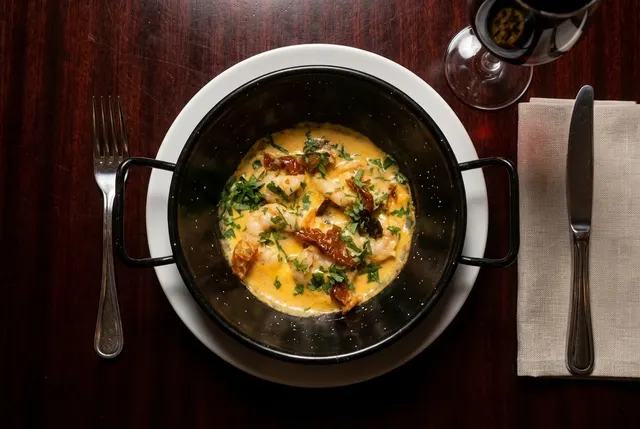
This is the approach used by FoodyFocus.
A restaurant provides photographs of its actual interior and photographs its dishes with a smartphone. The system then creates polished food images using the restaurant's own visual environment.
The objective is to make the image feel consistent with the restaurant rather than with a generic AI photography template.
This approach is particularly relevant for restaurants that want to maintain a recognizable visual identity across menus, websites, Google listings, and social media.
4. Fully Generative AI Food Images
The fourth approach doesn't necessarily require a photograph at all.
A user can describe an image using text, and an AI food image generator creates it from scratch.
For example:
"Fine-dining chocolate dessert with raspberry coulis, photographed in dramatic side lighting."
This technology can create visually impressive results and is useful for:
- Concept development
- Mood boards
- Advertising concepts
- Recipe illustrations
- Food brand campaigns
- Pre-production visualization
However, it presents a fundamental problem for restaurant menus.
The AI may generate a dish that looks different from what the kitchen actually serves.
Ingredients can change. Portions can become larger. Garnishes may appear. Textures may look different.
For conceptual marketing, this may be acceptable.
For a menu image representing a dish a customer is about to order, accuracy should take priority.
AI Food Photography vs Traditional Food Photography
AI and professional photography each have strengths.
The better question is not which one is universally better, but which one is appropriate for the image you need.
| Factor | AI Food Photography | Professional Photographer |
|---|---|---|
| Speed | Minutes | Requires scheduling and post-production |
| Cost per update | Generally low | New shoot may be required |
| Menu changes | Easy to update frequently | More difficult for individual changes |
| Creative direction | Depends on the tool | Very high |
| Brand campaigns | Useful in some cases | Usually stronger |
| High-volume production | Highly scalable | More resource-intensive |
| Human art direction | Limited | Strong |
| Consistency at scale | Potentially high | Requires controlled production |
| Physical accuracy | Depends on workflow | High when photographing the real dish |
| Best use | Routine and ongoing content | Brand-defining creative work |
A professional photographer brings expertise that AI does not automatically reproduce.
They can work with a chef, food stylist, creative director, and restaurant team to build an original visual language. They can respond to subtle creative decisions during a shoot and create images specifically designed for a campaign.
AI's main advantage is different: scalability.
If a restaurant needs to photograph three new dishes next Tuesday, it may not make sense to organize an entire professional production.
AI food photography can fill that gap.
For many restaurants, a hybrid model is likely to be the most effective:
Professional photography for the images that define the brand.
AI photography for the images that keep the brand current.
What Can Restaurants Use AI Food Photography For?
The usefulness of AI depends heavily on where the image will appear.
Digital Menus
Digital menus change frequently.
Prices change. Ingredients change. Seasonal dishes appear. Poor-performing dishes disappear.
AI menu photography allows restaurants to create and update visual assets without reorganizing a complete photoshoot every time the menu changes.
The priority should remain accuracy: the image should give customers a realistic understanding of the dish they are ordering.
Food Delivery Apps
Delivery platforms are among the most image-intensive restaurant channels.
Customers browse quickly, often comparing multiple restaurants and dishes from a phone screen.
That makes clarity particularly important.
The dish should be:
- Clearly visible
- Properly framed
- Well lit
- Easy to recognize
- Accurately represented
Each platform also has its own technical requirements for dimensions, cropping, image quality, and content.
Restaurants using AI for delivery photography should therefore treat AI as an image-production tool, not permission to invent a more attractive version of the food.
If the final image introduces ingredients, portions, or visual elements that customers will not actually receive, it can create misleading expectations.
Always check the current requirements of the specific delivery platform before uploading images.
Google Business Profile
Restaurant photos on Google serve a different purpose.
A potential customer may want to understand not only what the food looks like but what kind of place they are considering visiting.
That means the visual identity of the restaurant becomes more important.
A library that combines:
- Food
- Interior
- Exterior
- Bar
- Atmosphere
- Details
can give customers a more complete understanding of the experience.
For this use case, AI food photography that maintains consistency with the restaurant's actual environment can be more useful than generic studio imagery.
Restaurant Websites
A restaurant website is usually one of the most brand-sensitive applications.
Images need to work together.
A collection of technically beautiful photographs can still feel inconsistent if every image uses a completely different background, lighting style, color palette, or visual atmosphere.
For websites, consistency often matters almost as much as the quality of each individual image.
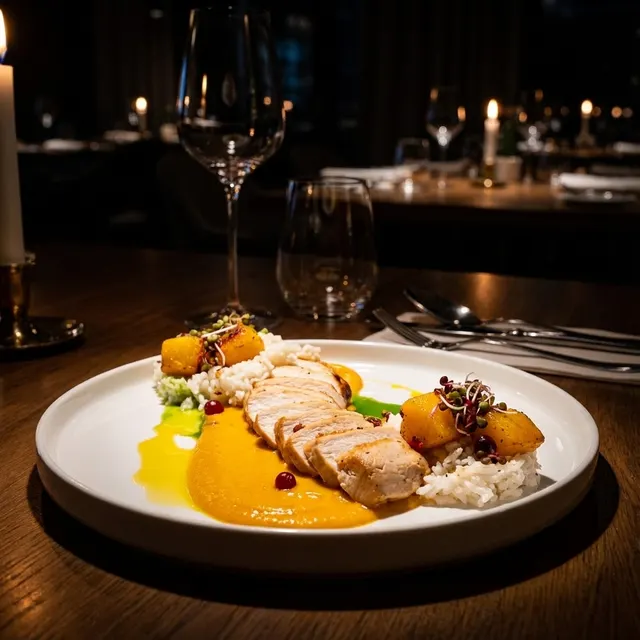
AI restaurant photography can help maintain a common visual direction across a large number of dishes, particularly when the system uses a consistent restaurant environment or predefined visual style.
Social Media
Social media requires volume.
A restaurant that publishes several times each week may need hundreds of visual assets over a year.
Not all of those images require the production quality of a major advertising campaign.
AI can help restaurants produce:
- Dish features
- Weekly specials
- New menu announcements
- Seasonal promotions
- Story assets
- Campaign variations
However, a restaurant's social feed should not become entirely synthetic.
Customers also want to see real people, real spaces, real events, and spontaneous moments.
AI food photography works best as one part of a broader content mix.
The Biggest Advantages of AI Food Photography
Speed
Traditional production requires coordination.
AI can dramatically reduce the time between "this dish needs a photo" and "this image is ready to publish."
That matters for restaurants where menus change quickly.
Scalability
Creating five images is one problem.
Creating 500 images across multiple locations is another.
AI systems can make high-volume visual production more manageable for restaurant groups, franchises, delivery brands, and marketing agencies.
Lower Cost for Routine Content
Professional photography remains valuable, but hiring a photographer for every new dish is not economically realistic for every restaurant.
AI gives restaurants another production option for lower-value or frequently changing content.
Consistency
When the same AI workflow, visual rules, and environments are applied repeatedly, restaurants can create a more consistent image library.
This is particularly valuable for:
- Multi-location restaurants
- Restaurant groups
- Marketing agencies
- Large menus
- Frequently changing menus
Accessibility
AI also reduces the technical barrier to creating usable food photography.
A restaurant owner may not understand professional lighting, camera settings, lenses, or editing software.
A smartphone-based AI workflow can make visual production more accessible to teams without photography expertise.
The Limitations of AI Food Photography
AI food photography also has significant limitations.
Understanding them is essential.
AI Can Misrepresent Food
Generative systems may alter details.
A sauce can appear where there was none.
A garnish can be added.
The number of ingredients can change.
A portion may appear larger.
This is particularly problematic when the image is directly connected to a purchasing decision.
Restaurants should review every AI-assisted image before publication.
Perfect Can Look Fake
One of the recurring problems with AI imagery is excessive perfection.
Perfect lighting. Perfect surfaces. Perfect steam. Perfectly arranged ingredients.
The result may look impressive but visually disconnected from reality.
Restaurants should be careful not to optimize an image so aggressively that customers no longer recognize the food or the brand.
Generic Environments Can Weaken Brand Identity
A marble table may look beautiful.
But if hundreds of restaurants use the same marble table, it communicates very little about the individual restaurant.
Restaurants should consider whether the goal is simply to make the food look attractive or to make the image feel recognizably theirs.
These are not always the same thing.
AI Does Not Replace Creative Direction
AI can generate options quickly.
It does not automatically know what your restaurant should look like as a brand.
You still need decisions about:
- Visual identity
- Color
- Mood
- Composition
- Photography style
- Brand positioning
Technology can execute a visual direction.
It should not be expected to define one without human input.
Authenticity: The Most Important Question for Restaurants
The central challenge in AI food photography is not image quality.
It is authenticity.
A technically perfect image can still be a poor restaurant image if it creates the wrong expectation.
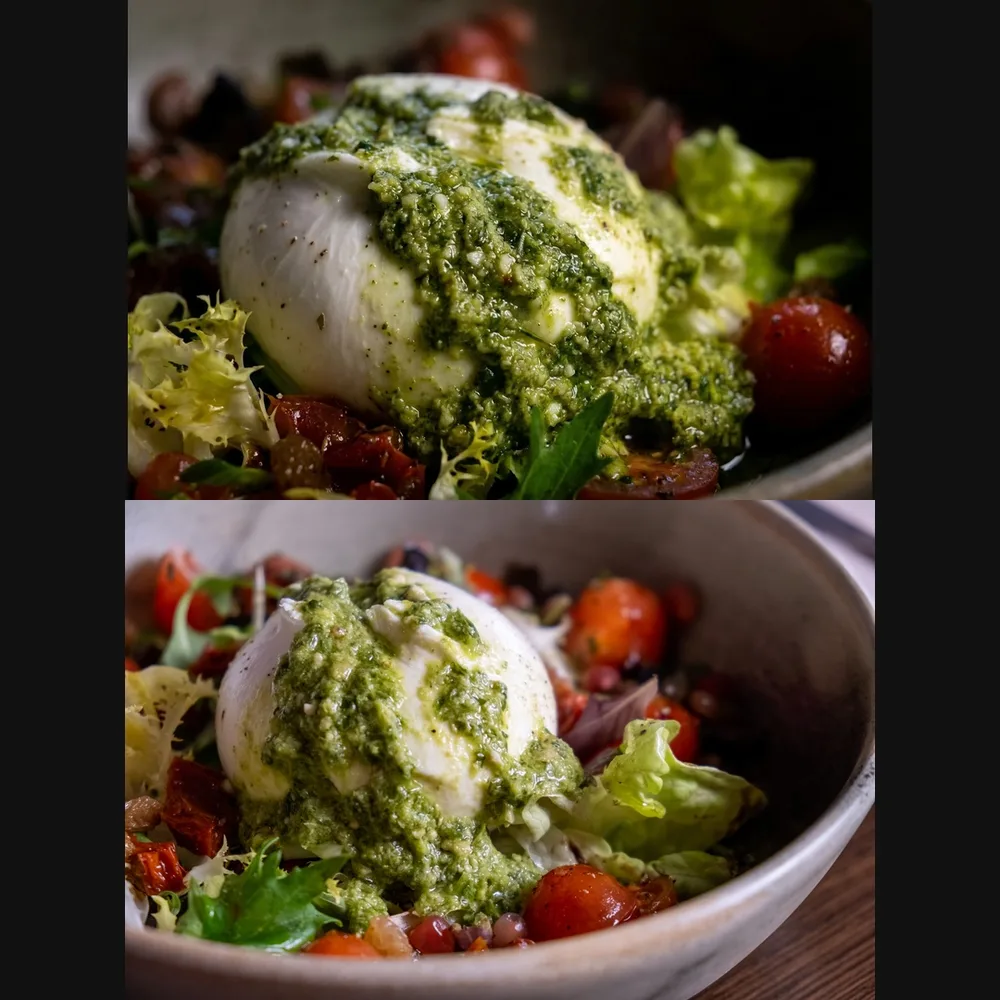
When evaluating an AI food photographer or AI food image generator, ask:
Is this my actual dish?
Does the portion look accurate?
Are the ingredients correct?
Has the AI added anything that isn't served?
Does the environment make sense for my restaurant?
Would a customer feel misled after receiving the real dish?
The closer an image is to a transaction, the more important these questions become.
A conceptual image used in an advertising mood board has considerable creative freedom.
A photograph beside a "Buy Now" or "Order" button has much less.
For restaurants, the strongest AI workflows are therefore often those that begin with reality and improve presentation rather than replacing reality entirely.
How to Create AI Food Photography for Your Restaurant
A good AI workflow starts before you open the AI tool.
Step 1: Photograph the Real Dish
Start with the actual dish your restaurant serves.
Use a smartphone with a clean camera lens.
You don't need professional equipment, but try to:
- Use natural or even lighting
- Avoid extremely dark environments
- Keep the complete dish visible
- Avoid heavy filters
- Photograph the food before it loses freshness
- Keep unnecessary objects away from the plate
The better the source image, the more information the AI has to work with.
Step 2: Decide Where the Image Will Be Used
Don't create an image without knowing its purpose.
Ask: Is this for a delivery app? A website? Instagram? A printed menu? Google?
Different channels require different compositions and formats.
A beautiful vertical Instagram image may crop poorly inside a delivery platform.
Step 3: Choose the Right Type of AI Tool
If you simply need better lighting, an enhancement tool may be enough.
If the original background is poor, use a tool with background control.
If maintaining your restaurant's visual identity is important, consider a restaurant-specific system that can work with your actual environment.
If you're producing conceptual content rather than showing a real menu item, fully generative tools may be appropriate.
Step 4: Generate Multiple Versions
Don't automatically publish the first result.
Generate alternatives.
Compare:
- Dish accuracy
- Lighting
- Background
- Composition
- Brand consistency
- Overall realism
Choose the image that best represents the restaurant, not simply the image that looks most dramatic.
Step 5: Check the Details
Before publishing, compare the AI-assisted image with the actual dish.
Look carefully at:
- Ingredients
- Garnishes
- Portions
- Plate shape
- Sauces
- Textures
If something is inaccurate, regenerate or edit the image.
Step 6: Export for the Correct Channel
Check the image requirements for the platform where the photo will appear.
Delivery platforms and social networks use different dimensions, aspect ratios, and cropping systems.
Keep a high-resolution master file and create channel-specific exports when necessary.
How FoodyFocus Approaches AI Food Photography
FoodyFocus was designed specifically for restaurant photography.
The workflow begins with the restaurant's real dish and its real visual environment.
A restaurant provides photos of its space and then photographs individual dishes with a smartphone. FoodyFocus uses that information to create polished images that place the dish within a visual environment connected to the restaurant itself.
The objective is to solve a problem common to generic AI food photography: a beautiful image does not necessarily look like your brand.
By working with the restaurant's own environment, FoodyFocus aims to create images that can sit more naturally alongside the restaurant's existing website, menu, Google profile, and social content.
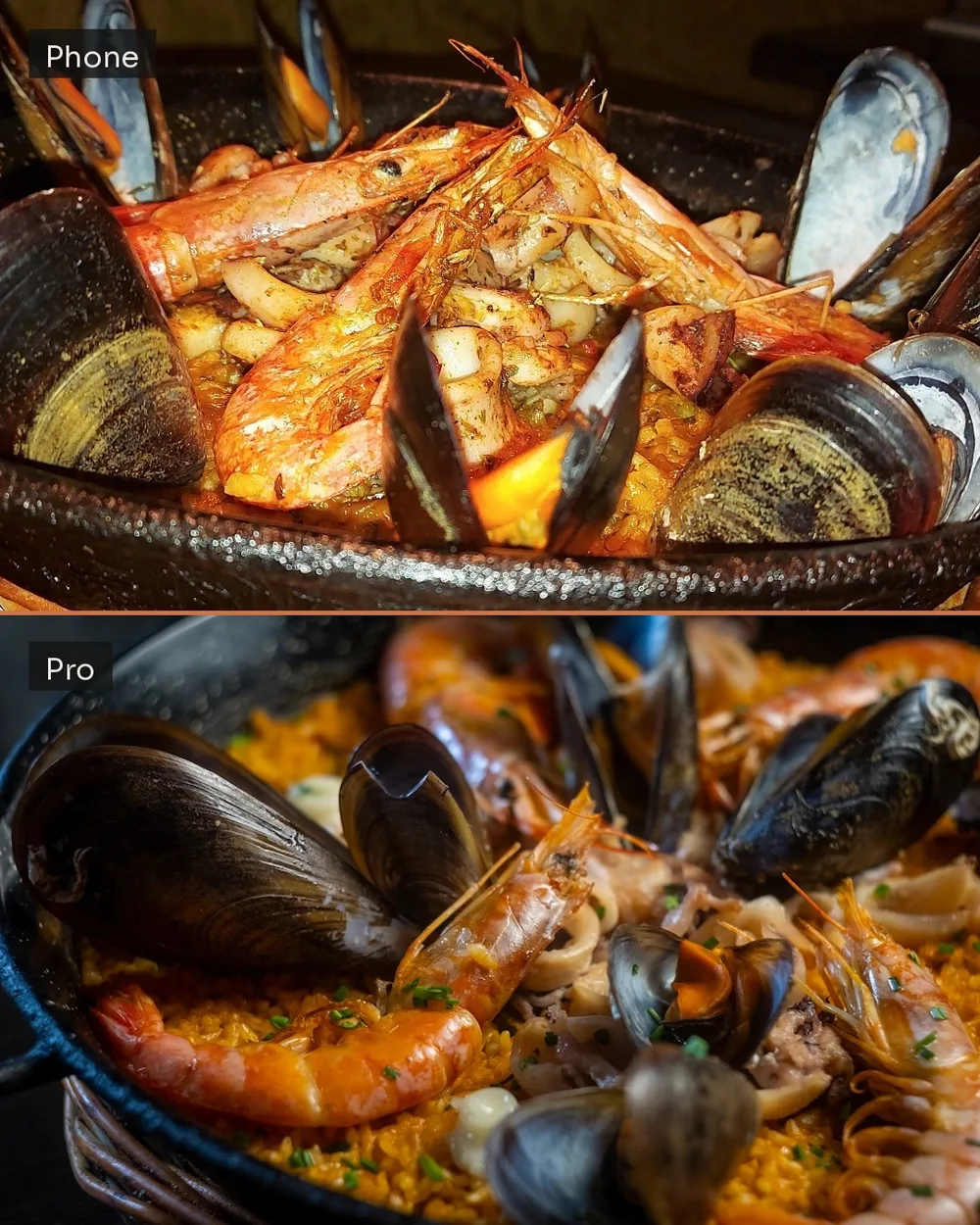
The workflow is designed for recurring visual production rather than a single image.
Restaurants can create images for new dishes and menu updates without rebuilding the visual direction from scratch every time.
For a detailed walkthrough, read How FoodyFocus Works: Generate Restaurant Photos From Your Phone.
How to Choose the Best AI Food Photography Tool
There is no single best tool for every restaurant.
Before choosing one, evaluate the following.
1. Does It Use Your Real Dish?
If the image represents something customers can order, starting with the real dish reduces the risk of creating misleading visuals.
2. How Does It Handle Backgrounds?
Some tools enhance the existing background. Others replace it. Others use generic environments. Some can incorporate your restaurant's visual identity.
Consider where the image will appear before deciding which approach is appropriate.
3. Can You Control the Result?
Look at:
- Style options
- Regeneration
- Editing
- Background control
- Aspect ratios
- Export formats
More control is not always better, but the workflow should match your team's needs.
4. Is It Built for Restaurants?
A general AI image generator can create food.
That does not mean it understands restaurant workflows.
Restaurant-specific tools may offer workflows designed around menus, delivery apps, restaurant environments, or multi-location management.
5. What Does It Cost at Your Actual Volume?
Don't compare only the cheapest monthly plan.
Calculate how many images your restaurant actually needs.
A restaurant creating five images per month has different requirements from an agency managing 20 restaurants.
6. Can You Try It With Your Own Food?
The best way to evaluate an AI food photography tool is to test it with your own dishes.
Demo images tell you how well a product performs under ideal conditions.
Your own smartphone photos tell you whether it works for your restaurant.
For a detailed comparison of current platforms, see The 7 Best AI Food Photography Tools for Restaurants (2026).
AI Food Photography for Marketing Agencies and Restaurant Groups
The value of AI increases as visual production scales.
A single independent restaurant may need dozens or hundreds of images.
A marketing agency managing 30 restaurant clients may need thousands.
At that scale, the challenge becomes more than photography.
It becomes visual operations.
Teams need to manage:
- Different restaurant identities
- Multiple menus
- New dish launches
- Client approvals
- Seasonal campaigns
- Delivery platforms
- Social channels
- File versions
- Image formats
AI can reduce the production burden, but only if brand identities remain separated.
A steakhouse, sushi restaurant, bakery, and beach café should not all emerge with the same visual aesthetic simply because they use the same AI tool.
For agencies and restaurant groups, the next stage of AI restaurant photography is therefore likely to focus increasingly on brand-specific visual systems rather than one-off image generation.
Will AI Replace Food Photographers?
Probably not.
But it will change what restaurants hire photographers to do.
Photography has already experienced similar technological changes.
Smartphones didn't eliminate professional photographers.
They changed which photographs required a professional.
AI is likely to do something similar.
Routine production will increasingly become automated.
High-value creative work will remain human-led.
Restaurants will still hire photographers for:
- Major campaigns
- Restaurant launches
- Editorial features
- Interior photography
- Chef portraits
- Brand-defining shoots
- Advertising
But they may no longer need a professional production every time one menu item changes.
The result is likely to be a hybrid visual workflow:
Photographers create the brand's defining imagery.
Restaurant teams capture everyday reality.
AI helps scale and maintain the visual system between major productions.
That is a more realistic future than the idea that AI will simply replace professional food photography.
The Future of AI Restaurant Photography
The first generation of AI image tools focused on generation.
Type a prompt. Receive an image.
The next generation is becoming more contextual.
Instead of asking AI to imagine a generic restaurant, systems can increasingly work with information about:
- The actual dish
- The actual restaurant
- The brand's visual identity
- Existing photography
- Preferred composition
- Distribution channel
This shift matters.
Restaurants do not need infinite generic images.
They need images that consistently look like they belong to the same business.
The future of AI restaurant photography is therefore likely to move away from "Generate a beautiful food image" toward "Create the right image for this restaurant, this dish, this brand, and this channel."
That is a much more useful problem to solve.
Frequently Asked Questions About AI Food Photography
What is AI food photography?
AI food photography uses artificial intelligence to enhance, edit, transform, or generate images of food. Restaurant-focused tools often begin with a real photograph of a dish and use AI to improve its presentation, lighting, background, or environment.
What is the difference between an AI food photographer and an AI food image generator?
An AI food photographer typically works with an existing photograph of real food. An AI food image generator may create an entirely new food image from a text prompt or reference.
For restaurant menus, starting with the real dish generally provides a stronger foundation for visual accuracy.
Can restaurants use AI for menu photography?
Yes. AI menu photography can be particularly useful for restaurants that frequently add or change dishes. Restaurants should review every image to ensure that it accurately represents the food customers will receive and complies with the current requirements of the platform where it will be published.
Can AI food photography be used for delivery apps?
AI-assisted images may be usable depending on the platform and how the image was created. Requirements differ between delivery services and can change over time.
The safest principle is to accurately represent the real menu item and avoid introducing misleading ingredients, portions, or visual elements. Always review the current rules of the specific delivery platform before publishing.
Is AI food photography cheaper than hiring a photographer?
For frequent, routine visual production, AI is generally less expensive because restaurants can create images without organizing a new photoshoot for every menu update.
Professional photography remains valuable for high-impact campaigns, brand launches, and creative work requiring human art direction.
Can AI make bad food photos look professional?
AI can improve many technical aspects of an image, including lighting, color, sharpness, composition, and background presentation.
However, the source photo still matters.
AI cannot reliably fix every problem. A clear smartphone photo of a freshly prepared dish will usually provide a better starting point than a blurry, heavily cropped, or poorly exposed image.
What is the best AI food photography tool for restaurants?
The best tool depends on the use case.
Some tools specialize in delivery menu optimization. Others focus on creative generation, high-volume API workflows, or restaurant-specific environments.
Restaurants should compare tools based on dish accuracy, background control, brand consistency, pricing, workflow, and intended use.
See our 7 Best AI Food Photography Tools for Restaurants (2026) comparison for a detailed breakdown.
Does AI food photography replace professional photographers?
Not entirely.
AI is particularly effective for high-volume and frequently changing content such as menu updates, delivery listings, and routine digital marketing.
Professional photographers remain valuable for major campaigns, original creative direction, editorial photography, and brand-defining visual work.
How can I try AI food photography with my own restaurant?
The best test is your own dish.
Take a clear smartphone photo of something you actually serve and evaluate how the AI handles the food, background, lighting, and overall authenticity.
FoodyFocus lets restaurants create AI-assisted food photography using their real dishes and their restaurant environment, helping visual content remain connected to the place it represents.
AI Food Photography Is Becoming Part of the Restaurant Content Workflow
AI food photography is not simply a faster way to make a picture look better.
Its larger impact is operational.
Restaurants increasingly need to produce visual content continuously, across more channels, in more formats, and at greater volume.
Traditional photography remains essential when creative direction and brand-defining quality matter most.
Smartphone photography makes everyday image capture accessible.
AI connects the two by helping restaurants turn everyday inputs into more consistent, usable visual assets.
The restaurants that benefit most will not necessarily be those that generate the largest number of AI images.
They will be those that understand where AI belongs in their visual workflow, and where it doesn't.
Use professional photographers for work that requires original creative direction.
Use real photography to document your people, space, and restaurant experience.
Use AI when speed, consistency, and scalability matter.
And regardless of the technology, keep one principle at the center of restaurant photography:
The image should create an expectation that the real experience can fulfill.
Want to see how different AI food photography platforms compare? Explore our 7 Best AI Food Photography Tools for Restaurants (2026) guide, or try FoodyFocus with a photo of your own dish.
